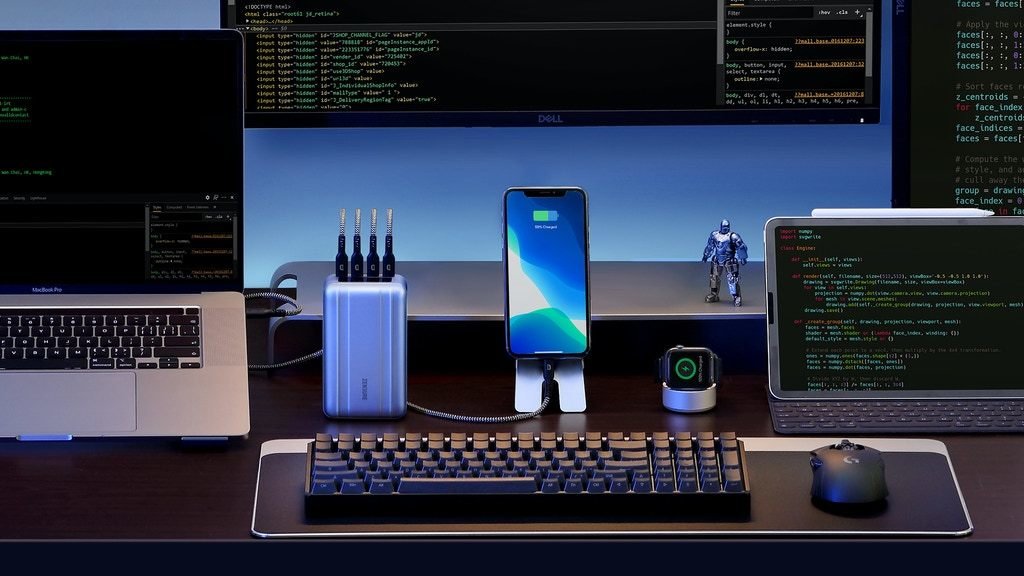
Can I take SuperTank Pro on a flight ?
Yes. You are allowed to take a portable charger that’s rated up to 100 watt-hours on a flight. The energy of SuperTank Pro is 96.48 watt-hours so it is safe to take your SuperTank Pro on a flight.
Last updated: August 31, 2020 06:44
What's the difference between SuperTank Pro and SuperTank?
Both SuperTank Pro & SuperTank are 26,800 mAh capacity with 8 Samsung high-density electric-vehicle battery cell built-in. SuperTank Pro features 4 USB-C ports, OLED screen with precious battery status display, upgradable firmware and delivers up to 138W total output.
Last updated: August 31, 2020 06:44
How many input port does SuperTank Pro have?
SuperTank can be recharge via USB-C(1) or USB-C(2) port. The first port connected to charger will be identified as input port while the other works as a output port.
Last updated: August 31, 2020 06:44
How long does SuperTank Pro recharge to full?
It takes about 1 hour and 45 minutes tested in our laboratory environment.
Last updated: August 31, 2020 06:44
Does SuperTank Pro work with MacBook Pro 16” ?
Yes. Either of USB-C1 or USB-C2 port of SuperTank Pro delivers up to 100W that can fast charge MacBook Pro 16” in full speed.
Last updated: August 31, 2020 06:44
What is the power output of each USB ports?
The USB-C(1) or USB-C(2) is capable of 100W input or output. The USB-C(3) or USB-C(4) delivers up to 18W output.
Last updated: August 31, 2020 06:44
Does SuperTank Pro support PPS charging?
Yes, the USB-C(2) port of SuperTank Pro supports 5-11V, 5A up to 55W PPS charging. It delivers up to about 35W for Samsung S20 Ultra & Note 10.
Last updated: August 31, 2020 06:44
What is the total output of SuperTank Pro?
When using all of the USB ports to charge your devices, SuperTank Pro can deliver up to 138W total output. The USB-C(1) and USB-C(2) delivers up to 60W each and 120W in total. The USB-C(3) and USB-(C4) delivers up to 18W in total.
Last updated: August 31, 2020 06:44
How to reset and recover SuperTank Pro?
Press the power button for 10 seconds. As the OLED screen display “RESET AND RECOVERY”, SuperTank Pro will reset automatically.
Last updated: August 31, 2020 06:44
How to charge the Micro-USB device with SuperTank Pro?
You can plug in the supplied USB-C to USB-A adapter and connect the USB-A to Micro USB Cable to charge the Micro-USB devices.
Last updated: August 31, 2020 06:44
How to charge SuperTank Pro with 100W input?
The supplied USB-C to USB-C cable supports up to 100W Power Delivery with emarker chipset built-in. Please use this cable and connect SuperTank Pro to 100W USB-C PD charger.
Last updated: August 31, 2020 06:44
Why can SuperTank Pro not charge some devices with USB-C port?
Some devices features USB-C port without any charge protocol that can’t be charged with USB-C charger. You can plug in the supplied USB-C to USB-A adapter and connect the USB-A to USB-C Cable to charge these devices.
Last updated: August 31, 2020 06:44
How to upgrade the firmware of SuperTank Pro
SuperTank Pro is capable of upgrading the firmware. Please visit the official website: www.zendure.com for support and instruction. ( *It is under construction right now.)
Last updated: August 31, 2020 06:44
Can I get SuperTank Pro in a different color?
Currently, SuperTank Pro is only available in silver.
Last updated: October 21, 2020 19:04
Can I get SuperPort S4 in a another color?
Currently, SuperPort S4 is only available in white.
Last updated: October 21, 2020 19:05
I see SuperPort S4 has a US-style connector. How can I use it in other regions?
SuperPort S4 comes with adapters for UK, European, and Australian outlets.
Last updated: October 21, 2020 19:05
What is BackerKit?
BackerKit is a service that crowdfunded project creators use to keep track of hundreds to tens of thousands of backers—from shipping details, pledge levels, preferences and quantities, whether they have paid or had their card declined, special notes, and everything in between!
The BackerKit software and support team is independent from the campaign’s project team—BackerKit does not handle the actual reward shipping. For more information about the preparation or delivery status of your rewards, please check the project's updates page.
How does BackerKit work?
After the campaign ends, the project creator will send you an email with a unique link to your survey. You can check out a walkthrough of the process here.
I never received my invitation. How do I complete the survey?
The most common reasons for not receiving a survey email is that you may be checking an email inbox different from the email address you used to sign up with Kickstarter, Indiegogo or Tilt Pro account, or it may be caught in your spam filter.
Confirm that the email address you are searching matches the email address tied to your Kickstarter, Indiegogo, or Tilt Pro account. If that doesn’t work, then try checking your spam, junk or promotions folders. You can also search for "backerkit” in your inbox.
To resend the survey to yourself, visit the project page and input the email address associated with your Kickstarter, Indiegogo or Tilt Pro account.
How do I update my shipping address?
BackerKit allows you to update your shipping address until the shipping addresses are locked by the project creator. To update your address, go back to your BackerKit survey by inputting your email here.
When will my order be shipped, charged or locked?
That is handled directly by the project creator. BackerKit functions independently of the project itself, so we do not have control of their physical shipping timeline. If you want to check on the project’s status, we recommend reading over the project's updates page.
I completed the survey, but haven't received my rewards yet. When will they arrive?
As BackerKit does not actually handle any rewards or shipping, the best way to stay updated on the shipping timeline would be to check out the project's updates page.